01 / Introduction

NorthStar Insurance Group infrastructure handoff.

A formal project summary of the hybrid network, service platform, security posture, validation results, and operational readiness delivered by Information Techs of the Round Table (Team 2).

Client NorthStar Insurance Group
Focus Secure, resilient hybrid infrastructure
Outcome Validated environment ready for admin handoff
Project Scope
Presented By
Ian MacDougall
Jacky Gao
Renato Melo
Demita Obazee

The project expanded a classroom network into a production-minded environment that balanced availability, security, operational clarity, and maintainability.

Hybrid identity with Entra Cloud Sync
Layer 3 VLAN segmentation
Cloudflare Zero Trust remote access
Linux-hosted container services
Windows AD, DNS, and DHCP resiliency
Hardening, testing, and admin procedures

This deck explains why major decisions were made, what proof validated them, and what a future administrator needs to know to maintain the environment confidently.

Use arrow keys, space, mouse wheel, or nav dots
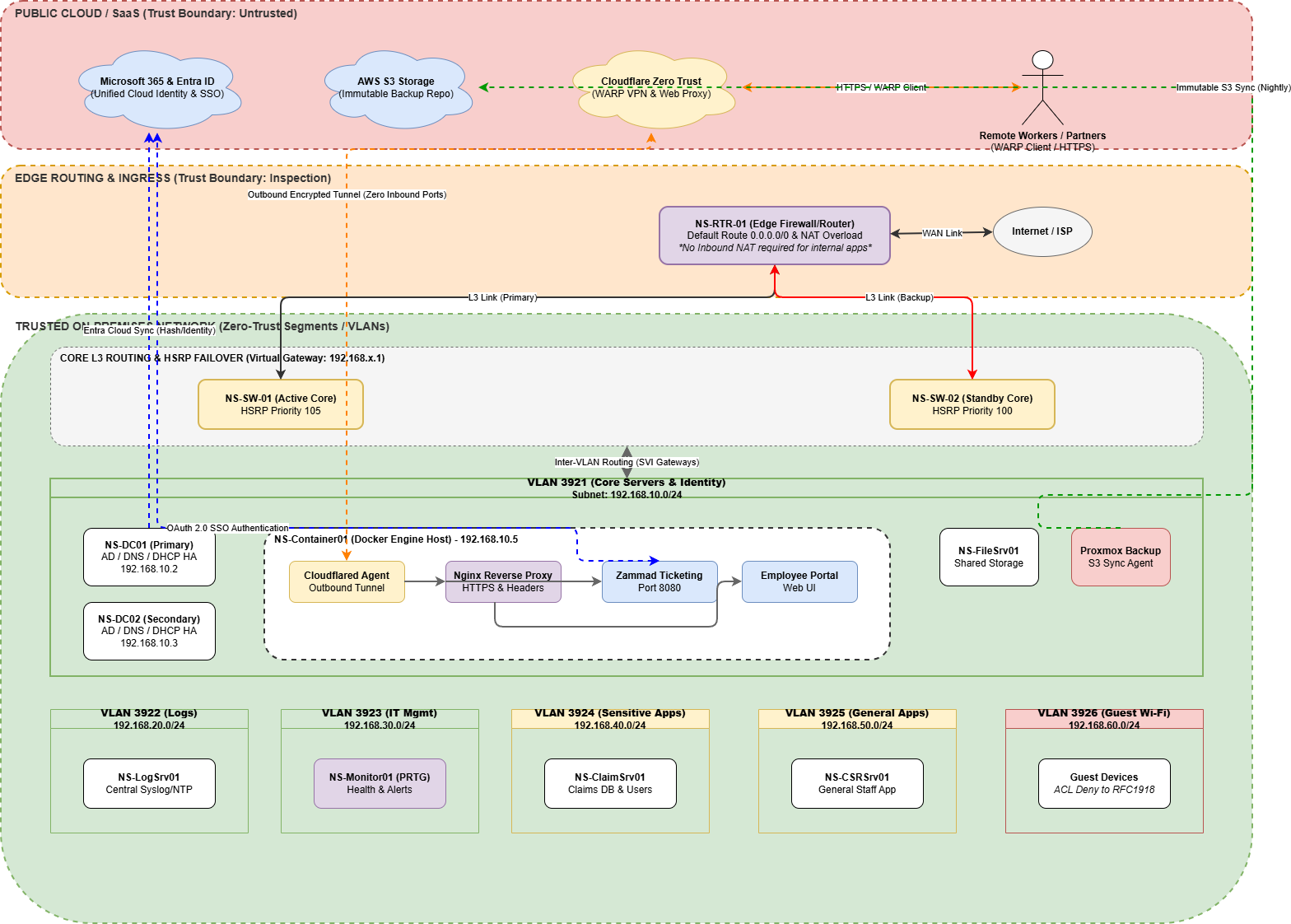
Logical architecture diagram for the NorthStar environment
Logical diagram showing trust boundaries, cloud services, routed VLANs, high-availability core switching, and service placement.
02 / Architecture Overview

Logical solution walkthrough.

  • The design separates public cloud, edge routing, trusted on-prem segments, and user VLANs into clear trust zones.
  • VLAN segmentation limits lateral movement while still allowing business traffic through explicit routed paths and ACL controls.
  • Cloud services support identity, remote access, and immutable backup without requiring public inbound exposure to internal apps.
  • Core services live in the server VLAN, while monitoring, logging, claims, general users, and guest traffic remain isolated by function.
Why it matters

The logical design makes security intent visible: who can talk to what, where identity is enforced, and how resilience is built into the core path instead of being left to endpoints alone.
03 / Architecture Overview

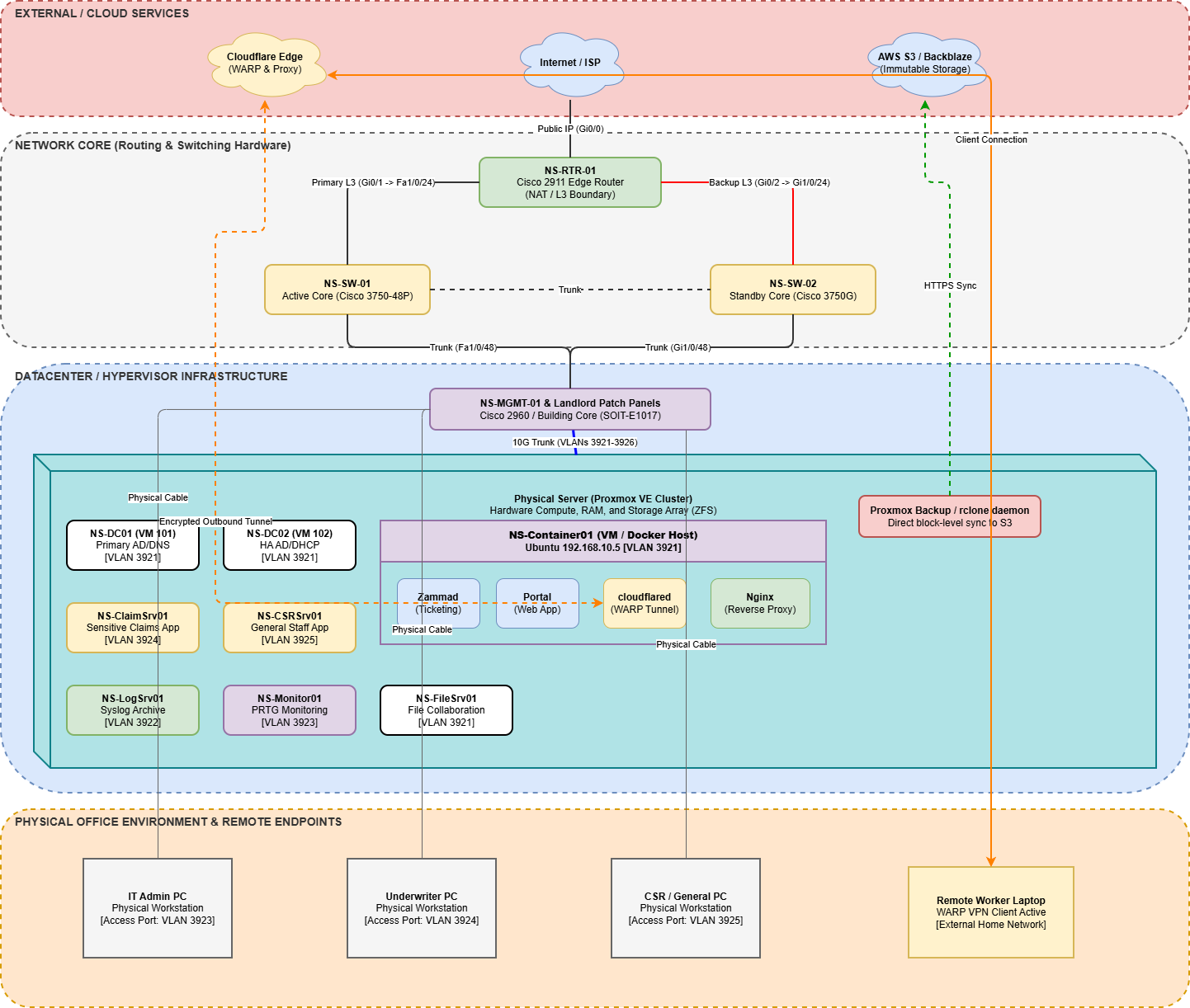
Physical deployment view.

  • The physical layout ties the Cisco edge router, dual core switches, management switching, and Proxmox-hosted workloads into one coherent platform.
  • Service placement is intentional: domain controllers, logging, file, monitoring, claims, and customer service systems are mapped to dedicated VLAN roles.
  • The Docker host consolidates externally consumed web services while the router and switches preserve a clear control plane around them.
  • The design also shows the office and remote endpoints that depend on the environment, which is important for operations and troubleshooting.

Using both the logical and physical views makes the handoff stronger: one explains architecture intent, the other explains where the moving parts actually live.

Physical infrastructure diagram for the NorthStar environment
Physical infrastructure diagram showing the edge, core, hypervisor platform, application placement, and remote endpoint relationship.
04 / Key Design Decisions

Three decisions shaped the entire solution.

L3 switching + HSRP

Gateway resilience at the core

Inter-VLAN routing was handled at the switching layer so user and server traffic could move locally instead of hairpinning through the edge. HSRP kept the default gateway stable even when the active core path was interrupted.

Trade-off: more coordination between switch configuration and routing policy, but far better failover behavior.

Transit / routed core design

Clear separation between edge and internal trust zones

Routed links between the edge and the core created a cleaner boundary for policy enforcement and reduced ambiguity about where segmentation decisions belong.

Trade-off: slightly more routing complexity, but cleaner troubleshooting and stronger zone-based thinking.

Linux services on Docker

Efficient service delivery without VM sprawl

Nginx, Cloudflared, Zammad, and the employee portal were consolidated on a dedicated Linux host to reduce overhead and keep web-service management consistent.

Trade-off: one service host remains a known single point of failure, but the platform is simpler to operate and document.

These choices optimized for resilience, manageable complexity, and defendable security boundaries, which is more valuable in an admin handoff than maximizing novelty.

05 / Security & Hardening

Hardening focused on systems that administrators actually touch.

SSH and Linux posture

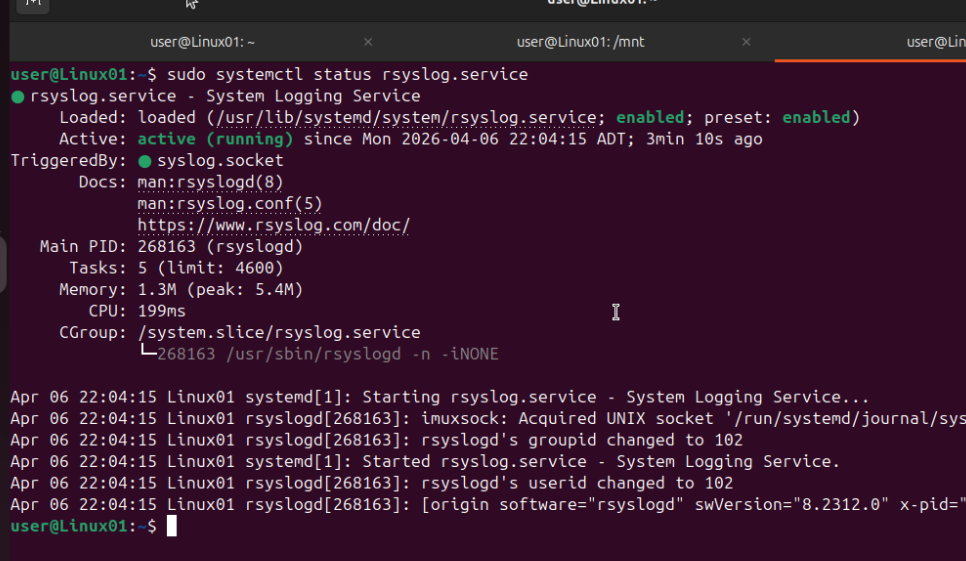
Linux hosts were hardened around key-based administration, default-deny firewall behavior, service cleanup, and active logging so the attack surface stayed narrow.

Windows policy controls

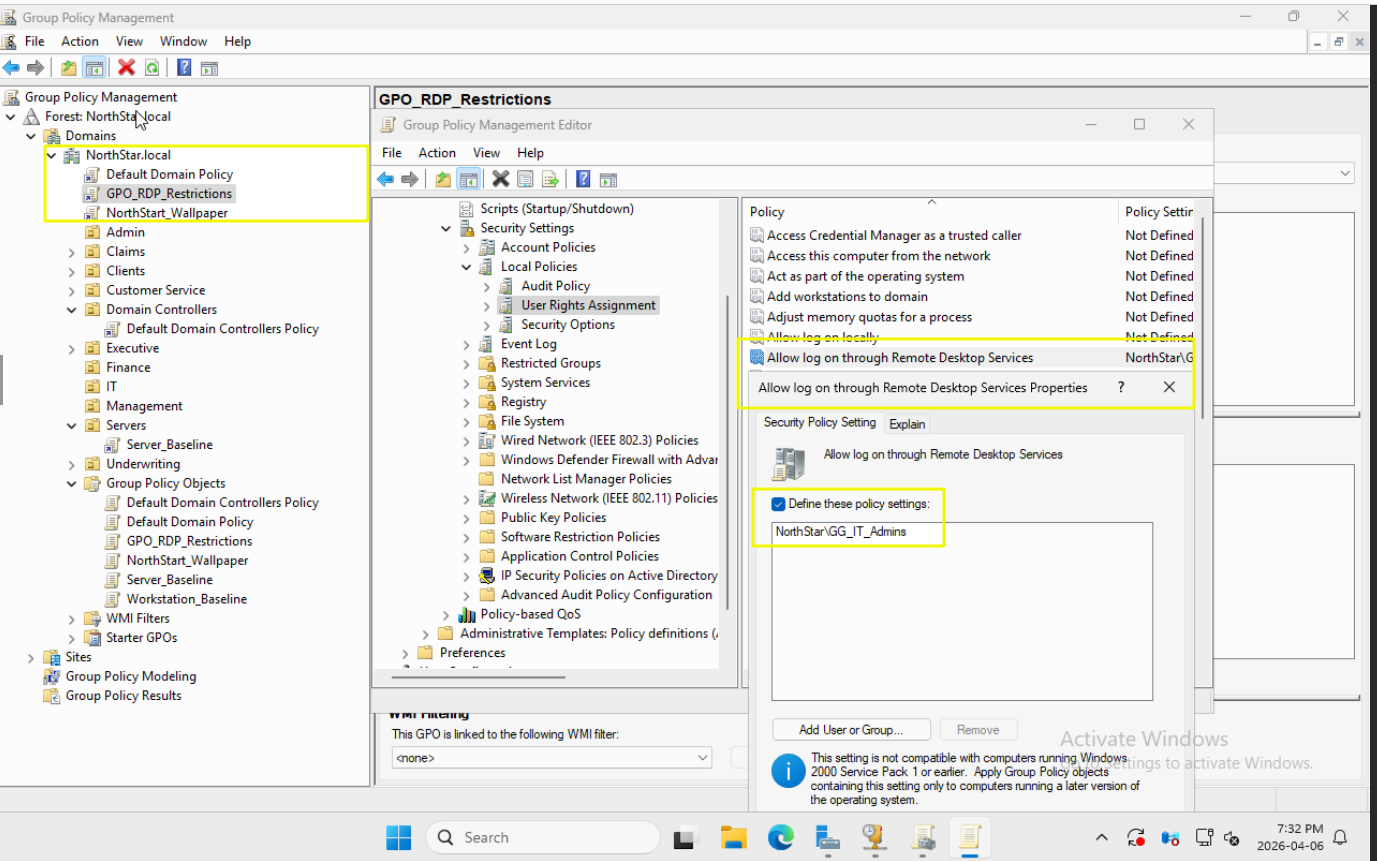
Password rules, account lockout, restricted RDP access, and active Windows Defender Firewall profiles pushed security into baseline policy rather than relying on ad hoc user behavior.

Admin-facing evidence

The goal was not only to harden the environment, but to leave behind clear evidence that future admins can verify quickly during audit or troubleshooting.

06 / Security & Hardening

Security boundaries were enforced in the network and identity layers.

  • Cloudflare Tunnel and WARP replaced traditional inbound port forwarding, shrinking the public attack surface.
  • ACL-based segmentation prevented flat access, including explicit isolation for guest traffic.
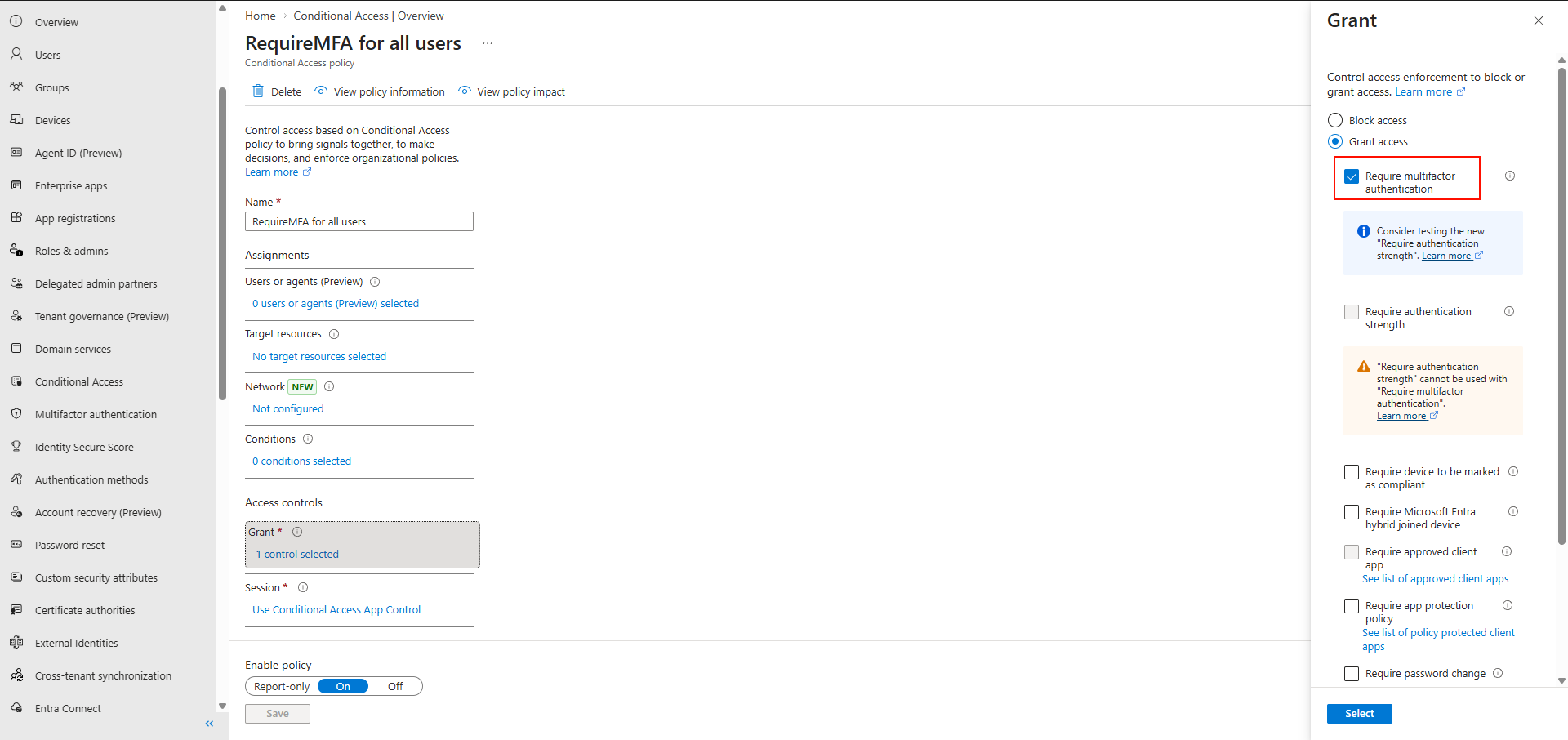
  • Conditional Access applied MFA and country-based restrictions, turning identity into an active control plane.
  • Service access was expected to succeed only under the right trust conditions, not merely because a port was reachable.

This approach reflects zero-trust thinking: verify the user, verify the context, and allow only the paths that the architecture explicitly intends.

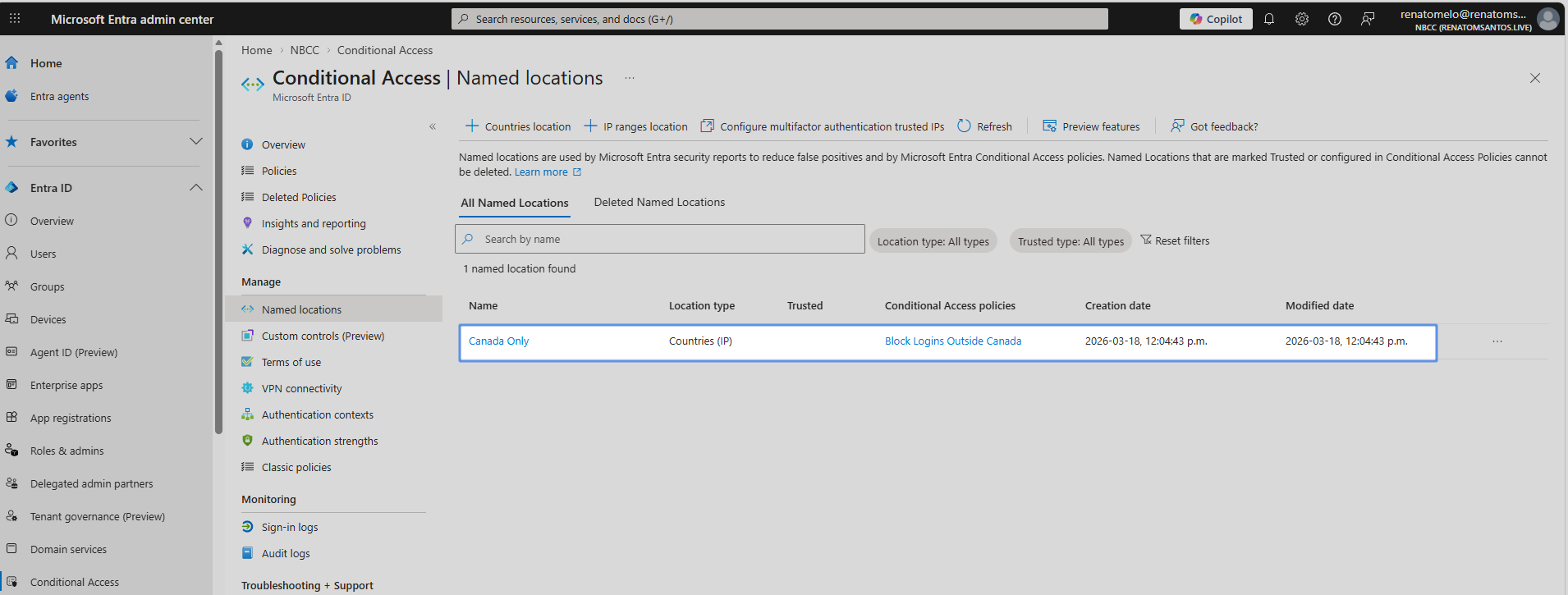
Conditional Access named locations showing Canada only

Geo restriction configured

Named locations in Entra ID were used to scope sign-in trust to approved geography.

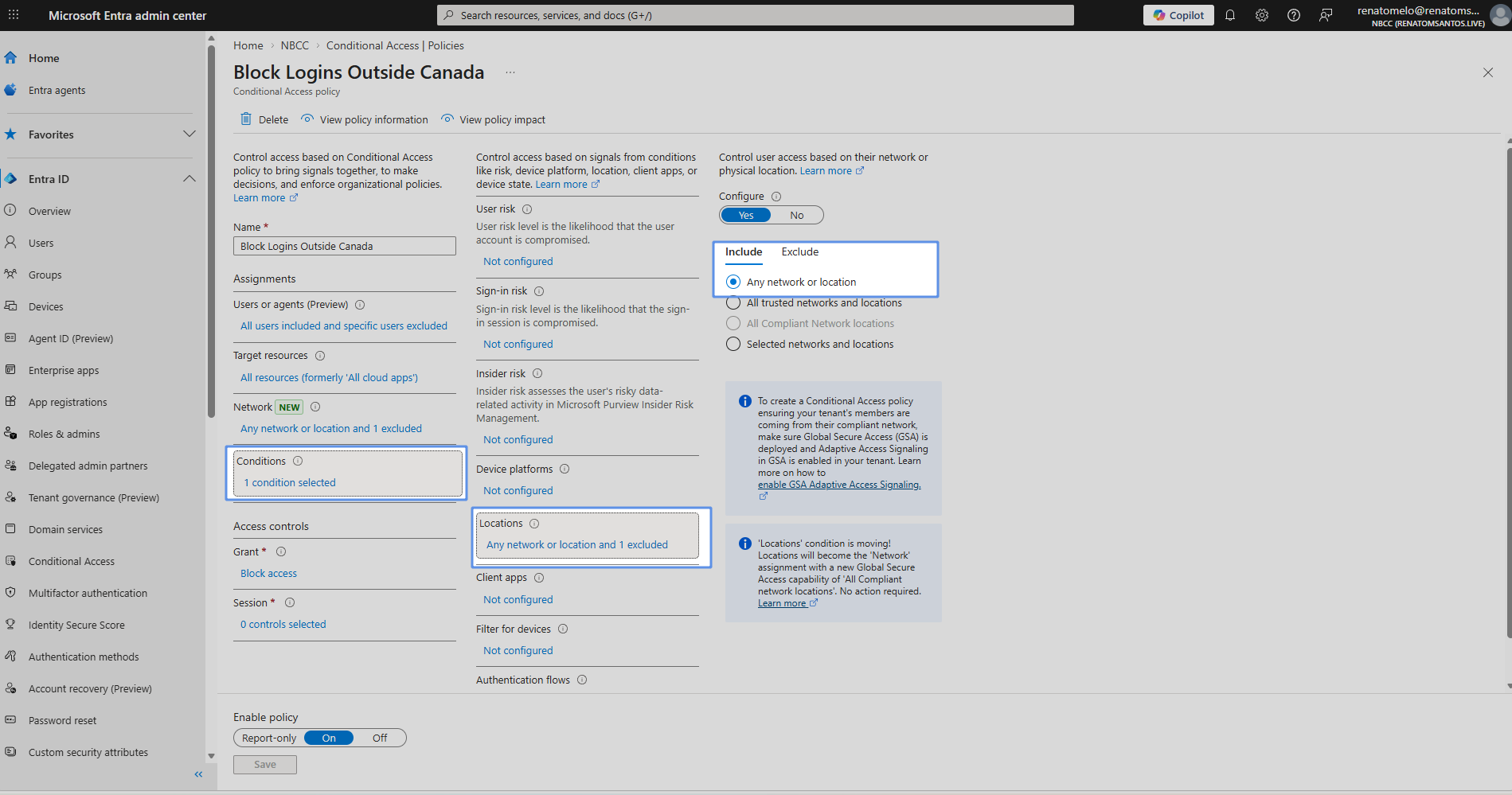
Conditional access policy blocking logins outside Canada

Block policy enforced

Conditional Access was set to block logins outside Canada, demonstrating real identity-aware control.

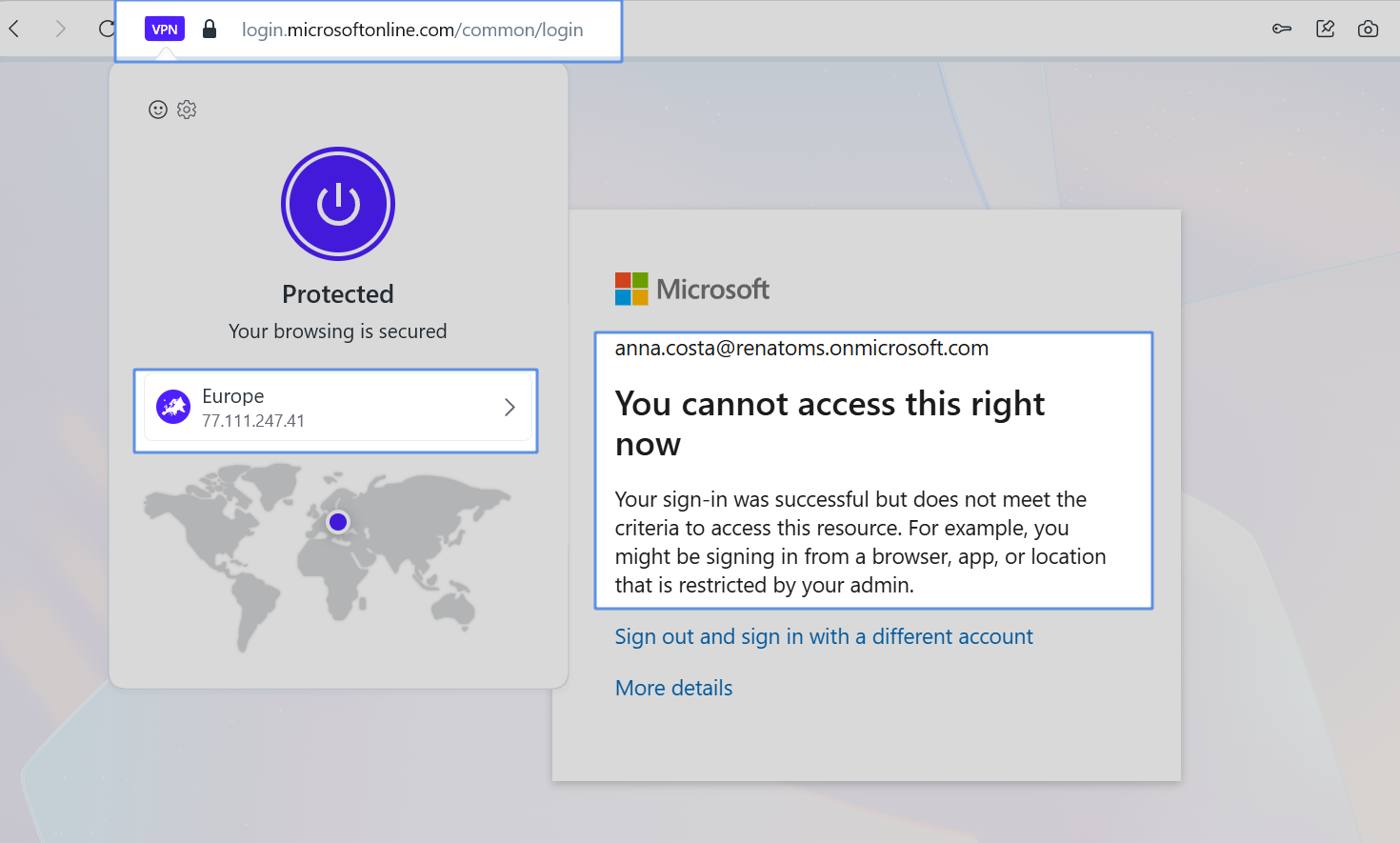
Blocked sign-in result from an unauthorized location

Unauthorized location denied

The policy was not theoretical; a sign-in from Europe was denied even after authentication succeeded.

07 / Validation & Testing

Validation covered the paths that matter in production.

8 planned validation scenarios
PASS recorded for every planned test
0 evidence of required functionality left unverified
Test Area What Was Tested Key Result Status
T1-T3 ACL isolation, DHCP assignment, DNS resolution Segmentation held, clients received correct addressing, internal and external names resolved. Pass
T4-T6 Portal/Zammad access, WARP remote access, SSO and conditional access Services were reachable securely and identity policies enforced MFA plus geo restrictions. Pass
T7 HSRP failover during active uplink interruption Gateway reachability was maintained while NS-SW-02 assumed the active role. Pass
T8 Backup restore from offsite immutable storage Deleted data was recovered successfully from the latest snapshot. Pass

The validation plan did more than confirm connectivity. It checked whether the design still behaved correctly under security controls, failover conditions, and recovery scenarios.

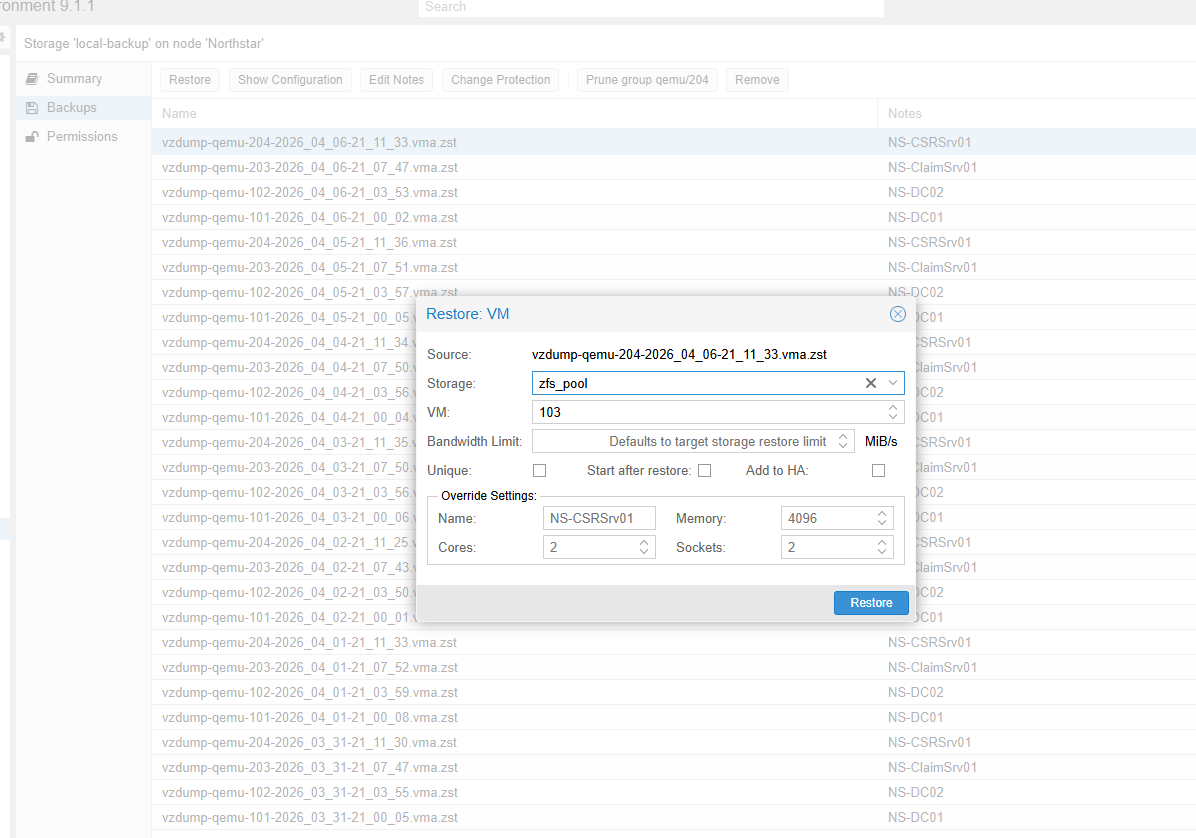
Proxmox restore dialog showing VM recovery options
Backup validation included a practical recovery path through Proxmox restore, reinforcing that recovery readiness was operational rather than theoretical.
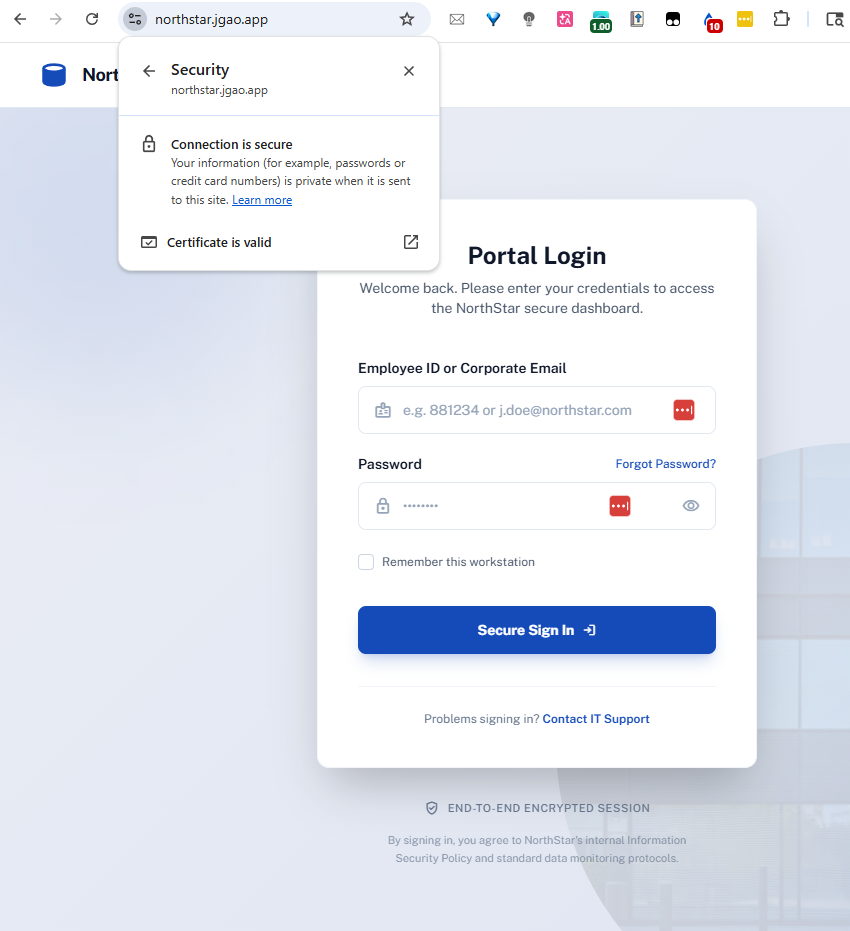
NorthStar portal showing a valid secure certificate

Web access validated over TLS

The employee portal presented a valid certificate, proving secure publication through the reverse-proxy path.

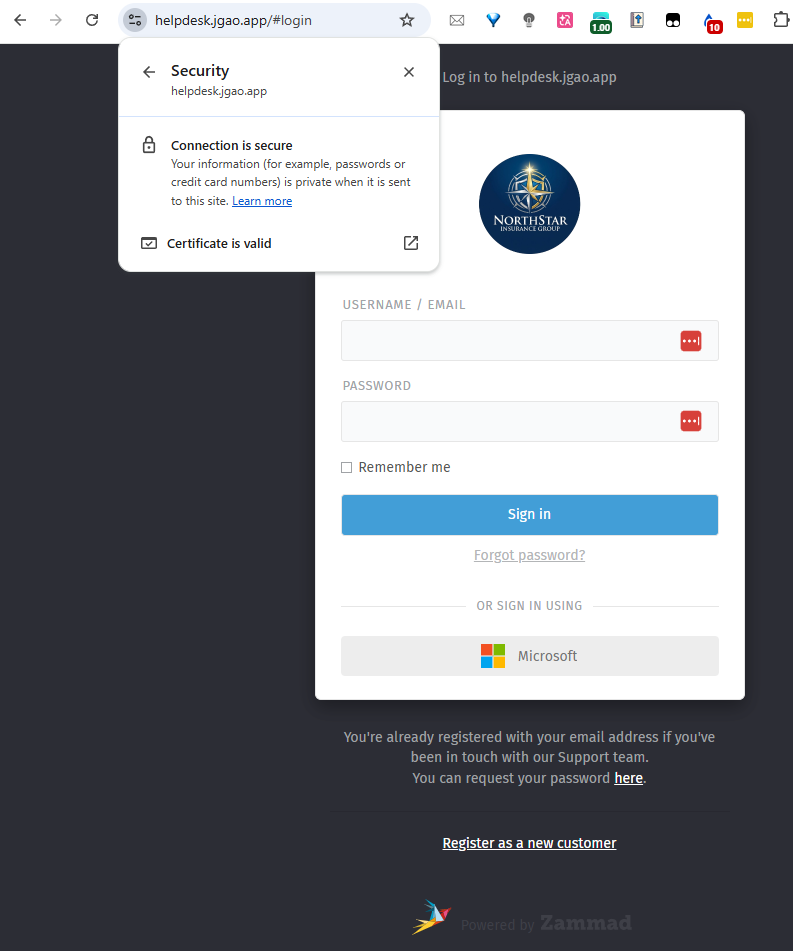
Zammad helpdesk showing a valid secure certificate

Service publishing stayed secure

Zammad was reachable through the intended secure path instead of relying on direct internal exposure.

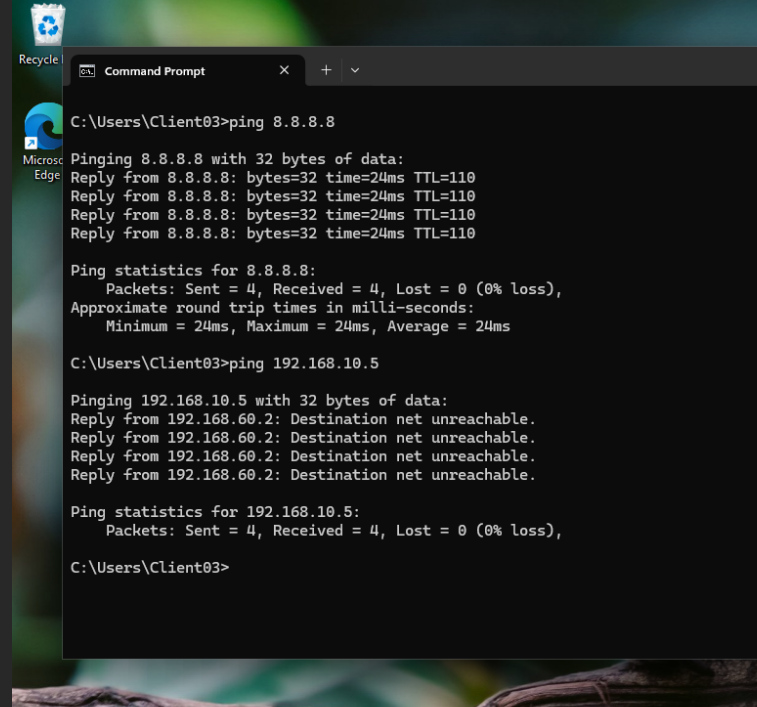
Command prompt showing guest isolation from internal resource

Security boundaries held during testing

Guest traffic could reach the internet but not the protected internal host, matching the ACL design intent.

Failover demo: the team documented an HSRP switchover by shutting down the active core uplink while monitoring gateway continuity. The standby switch assumed the active role with minimal disruption, which is exactly the behavior the design was meant to deliver.

09 / Operational Readiness

The environment is documented for whoever runs it next.

Documentation

Open the handoff material directly

The project includes role-specific documents that explain configuration intent, addressing standards, known limitations, and day-to-day administration.

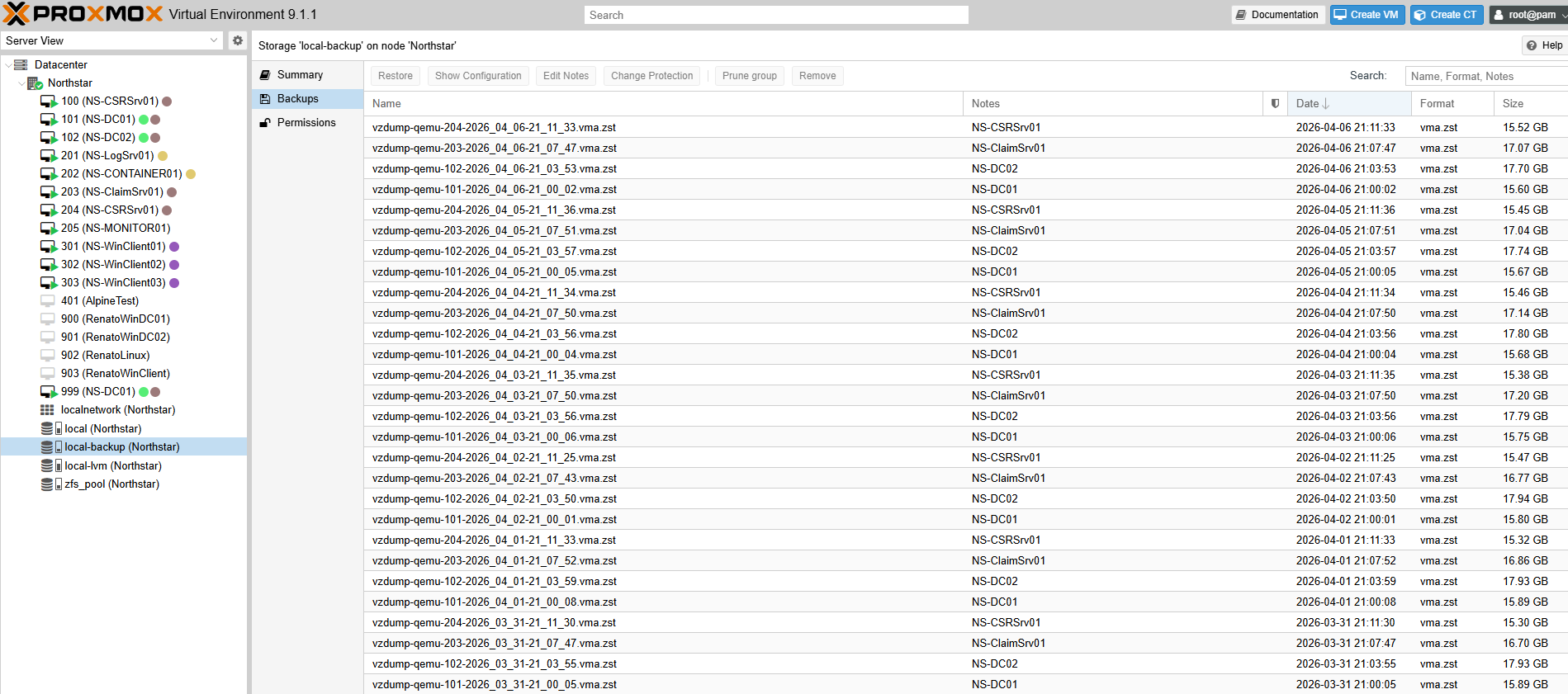
Backup strategy

3-2-1 backup model with immutable offsite copy

The design retains local VM backups and synchronizes them nightly to an immutable S3-compatible repository, giving administrators a recovery path for both operational mistakes and site-level loss.

Proxmox local backup inventory Backup Procedures folderOpen
Admin procedures

Routine checks are already defined

Administrators are not left guessing. The handoff documents describe how to verify container health, DHCP failover, HSRP state, firewall posture, and backup synchronization.

  • Check Docker service status and logs on the Linux host.
  • Verify DHCP leases and failover state on the domain controllers.
  • Validate HSRP standby roles and ACL enforcement on the network core.
  • Review backup inventory and remote sync evidence on the Proxmox platform.
10 / Lessons Learned

What the team learned from building and validating the environment.

Biggest challenge

The hardest part was aligning secure external publishing with hybrid authentication. Reverse proxy behavior, protocol expectations, and identity controls all had to work together without weakening the security model.

What worked well

Strong segmentation, identity-aware access, and structured validation created a design that is easier to defend and easier to explain. That combination makes the environment more credible as an operational handoff.

What they would improve

Reduce single points of failure around the Docker host and WAN edge, automate more disaster recovery steps, and improve role mapping so application access tracks group membership with less manual effort.

Final takeaway: the project is strongest not because it is complex, but because its architecture, security controls, validation evidence, and operational documentation all point in the same direction.